



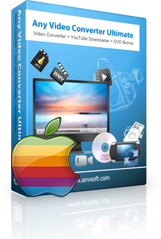

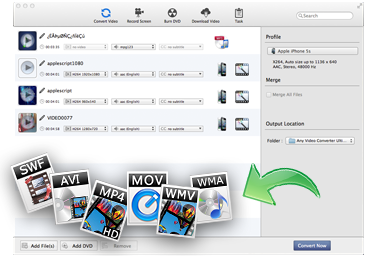
All-in-one Mac Video/Audio Converter
In the newest version of Any Video Converter Ultimate for Mac, the supported video formats have been added to more than 120. Other than the normal AVI, MKV, MOV, MPG, RMVB, FLV, M4V, PSP, MXF, etc. are all included. And those videos could be easily converted to compatible formats with different software and devices, such as iMovie, iDVD, FCP, iPod, iPad, iPhone, PSP, PS3, Nokia, Blackberry, etc.
Any Video Converter Ultimate for Mac is the best tool to help you extract audio files from DVD/videos and save as MP3, OGG, WAV, AAC, WMA, AIFF, CAF, AMR, RA, AU, MP2, AC3, M4R, M4A, FLAC, etc. on Mac OS X.
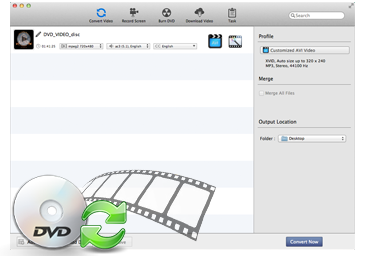
Perfect DVD Ripper and DVD Creator for Mac
Any Video Converter Ultimate for Mac is an all-in-one DVD Converter, which means that the application could rip DVD movies, and convert to almost all popular video and audio formats such as MP4, AVI, WMV, RM, H.264, 3GP, 3G2, MPG, FLV, WMA, MP3, AAC, AC3, etc with excellent quality. Moreover, the DVD movie could be converted to iPod, iPad, iPhone, PSP, Nokia, Blackberry, Android, etc.
As a professional video converter, Any Video Converter Ultimate for Mac supports numerous different video formats; now it comes the DVD Creator feature, combine with the compatible video formats, unlike other DVD burners, Any Video Converter Ultimate for Mac burns a DVD, only 3 steps in need; and to decorate DVD, versatile template are in chosen.
Keep AC3 5.1 audio when converting DVD to Apple TV 1/2/3.

Download and Convert Online Videos
With Any Video Converter Ultimate for Mac, more than 100 different video websites are available to be downloaded, including Veoh, Vimeo, MTV, Vevo, HowCast, Break, Facebook, Myvideo.de, Liveleak, NicoVideo, etc.
Just need to paste the URL of the online video and hit the OK button, the video will be downloaded to your computer completely. Also, users could convert the downloaded videos to MP4, AVI, MPG, MKV, 3GP, ASF, etc.
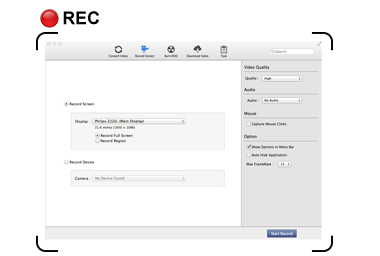
Capture all Desktop Activities into Videos
Any Video Converter Ultimate for Mac supports full screen HD capture, allows users to record all desktop activities to video for creating software tutorials, website demos. Importing the recorded file into the video converter, you can edit and convert it to any format you want. Also, there are multiple FPS values for you to choose.
Screen Recorder is a powerful, easy-to-use screencasting function of this program for the Mac.
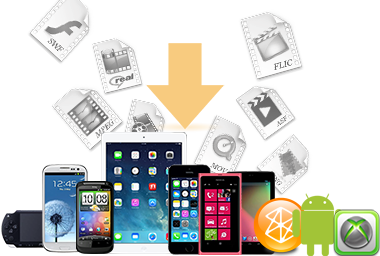
Support iOS Devices, Android Devices and More as Output
With Any Video Converter Ultimate for Mac, you can easily convert and download videos to iPod, iPad, iPhone, Apple TV, Android Phones, Google Nexus One, Sony PSP/PS3, Zune, BlackBerry PlayBook, Nokia N-Series, Motorola Xoom, Samsung Galaxy S, Samsung Galaxy S2, Samsung Galaxy S3, Samsung Galaxy S4, Samsung Galaxy Tab, Samsung Galaxy Note, Samsung Galaxy Note 10.1, HTC One Series, Creative Zen, Walkman etc.
Any Video Converter Ultimate for Mac supports professional encoders like Apple Intermediate Codec, ProRes to ensure maximum editing quality and efficiency when working with Apple softwares such as iMovie, iDVD, Final Cut Pro, and Final Cut Express etc.

Edit and Add Effects to Videos
Any Video Converter Ultimate for Mac has a simple user interface, but behind that, it could also do an impressive job of editing videos. Neither “Merge” or “Clip” buttons are there, but you can drag and drop one video to the other to merge; change its start time and stop time to clip. And click the Edit icon on the artwork to crop the video, add watermark, change the scale, etc.
You can set videos brightness, contrast and saturation to determine the video's image. Also, you can add other effects such as Mirror, Flip, Noise and Smartblur. Text and picture are both available to be enabled as a watermark; moreover, you can set its position, font size, and font color and font style.