

"Hey nice recorder u got there! Finally I found what I wanted. It is the best screen recorder I have ever used. Used it to create series of How-to training documents for my company, and this was easy for us to use and great functionality. The videos and audio sync perfectly. I'm impressed....
keep it up!"
-Ricky Muller
Reward By Expert

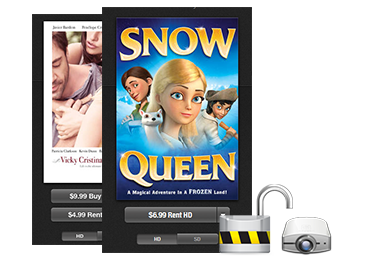
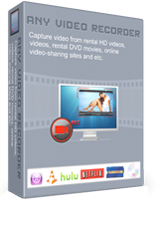
As a easy to use video recording software, Any Video Recorder can capture videos from online streaming videos, protected DVD Movies, purchased or rental iTunes DRM videos, copy protected TV shows & films from online videotheques or Video on Demand services like Hulu, NetFlix, Metacafe, Dailymotion, Vimeo, etc. Served as an excellent video recorder, it's also available to record screen video and capture anything on the screen with high video and audio quality.
- Capture streaming videos from online videotheques/ Video on Demand services;
- Record TV shows & films from Netflix, Hulu, Metacafe and similar feed sites;
- Record all purchased or rental DRM protected iTunes M4V videos;
- Capture rental protected DVD movies & HD videos losslessly;
- Capture screen video of any part of the screen even the entire desktop;
- Save recorded videos as MP4 format for playable on mobile devices;
- Support hot key Ctr+F7 to start or stop recording;
- 100% Free, Cost Nothing!
Features

Any Video Recorder enables you to record all online videos that are restricted from downloading. With it, you can free capture all your favorite films, TV shows, live sports, video blogs, and music videos on Netflix, Metacafe, Hulu, Vimeo, iTunes, BlockBuster, Hollywood Video, Dailymotion, MySpace, CNN or any other similar feed sites with 1:1 video quality for enjoyment on your portable devices.

We all know that all the iTunes videos are protected by the DRM and in M4V protected format. If you want to enjoy movies & TV shows from iTunes store on your PC or other devices without any limitations or DRM protection, Any Video Recorder is just the right tool to record EVERY DRM-protected iTunes video and save it as unprotected MP4 format.

This excellent video recorder supports capturing video, sound and pictures of anything you see on screen. Any part of the screen, any window on the screen, and even the entire desktop can be recorded. You can record your webcam sessions, favorite games, any software on desktop, any video display on screen. Whether you need to create an eye-catching tutorial, presentation or demo video, Any Video Recorder makes it easy.

Want to protect yourself from loss by making private-use-only backups of every DVD in your library? Want to enjoy DVD movies even the protected ones on any playback devices when you're on-the-go? Simply use Any Video Recorder to record any DVD you've legally acquired and save the recorded videos as a private-use-only copy.
PC, HTC, Samsung, Tablet, Blackberry, iPhone, iPad, iPod — a laundry list of devices that require a dizzying video formats. Any Video Recorder can save all the recorded videos as MP4 format compatible with any devices for free enjoyment anywhere anytime!

It provides several customization options for better recording experience and output video quality. You can stick to presets or tweak Frame Rate and Video Bitrate on the basis of your computer configuration. It can sync video and audio perfectly with virtual sound card.
High-performance and user friendly interface video recording technology, which makes it really easy to use. The program can detect the recording area automatically and mark it with red rectangle, you can also click on select manually button for adjusting the wanted area. It supports hot key Ctrl+F7 starting or stopping recording effectively.
| Delivery | Free |
| File Size | 5.47 MB |
| Version | 1.0.0 |
| Platform | XP, Vista & Windows 7 (32-bit & 64-bit) |
| Output Format | MP4 |
| Supported Media Players | |
| iPod, iPhone, iPad, Apple TV, PSP, PS3, Walkman, Android Tablet and all kinds of mobile phones such as HTC, Samsung, Blackberry, Android, etc. | |
| System Requirements | |
| OS | XP, Vista (32bit & 64bit), Windows 7 (32bit & 64bit) |
| CPU | Personal or multimedia computer with a 1.5 gigahertz (GHz) or higher processor |
| RAM | 256 megabytes (MB) or higher of RAM |
| Free Hard Disk | 6MB for installation,1.5 GB of available hard-disk space or higher |
| Sound Card | Windows-compatible sound card (recommended) |
Click the thumbnail to view larger image
How to Free Record Online Streaming Videos
Step 1. Download, install and run Any Video Recorder software to your PC.
Step 2. Define File Directory and Video Name

-- Temporary Directory: Click Browse button to choose a location for storing the temporary file generated when recording video.
-- Output Directory: Click Browse button to define your output folder for storing recorded video file.
-- Output File Name: Enter a name for the video clip that you are going to record.
Step 3. Customize Output Video Quality
-- Video Frame Rate: Click to Video Setting button , then choose value from drop-down list right after the Target Frame Rate. You can choose value from 15-50 FPS to get a smooth video as you like.
--Video Bitrate: Click to Video Setting button, activate drop-down list right after the Video Bitrate, you can choose video bitrate from 1000-10000 kbps to record video of high quality.
Step 4. Click Record Now button to start recording videos
Play the video you want to record or open the online video, the program can detect the recording area automatically and mark it with red rectangle. You can also click on select manually button for adjusting the wanted area to create your own video tutorial. Click REC red button
to start recording.

Once you have finished the recording task, the recorded video file will show on the main window of the program, please select the video file and right-click on it, you can choose Open Source File Location.
Or show the file management panel and click Recorded in the left panel, then Right-click the recorded file, click Open File Location from the pop-out menu.
Step 5.Click the red button
or press hot key Ctrl+F7 to stop recording

After video recorded successfully, there will prompt out the output file folder to show you the recorded video. You can get your favorite video clips with 1:1 video quality for enjoyment.
Note: All the recorded videos will be saved as MP4, which are compatible with iPod, iPad, iPhone, Android products......
About AnvSoft | News Release | Affiliate | Links | Privacy | Legal Notices | Photo to DVD | Funny Photo Maker | HTML5 Tools | PDF Tools | iPod Transfer
© 2005-2012 AnvSoft Inc., All Rights Reserved.