




All-in-one Video Converter & DVD Converter
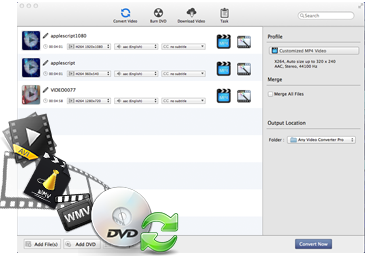
Any Video Converter for Mac firstly performs as a powerful Mac DVD Converter software which can convert even encrypted DVD movies to AVI, WMV, MP4, VOB, FLV, 3GP, MP3, AAC etc. Especially, it can support keeping AC3 5.1 audio when converting DVD to Apple TV 1/2/3.
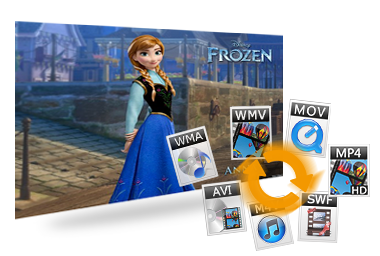
Any Video Converter for Mac supports almost all popular video and audio formats. Any Video Converter for Mac converts video files including AVI, MP4, MOV, MPEG, 3GP, ASF, FLV etc to other popular formats you desired. It can also easily convert between MP3, M4A, AAC, AC3, WMA, WAV, FLAC files on Mac.
It can also help you burn videos in different video formats to DVD easily.

Online Video Downloader
With Any Video Converter for Mac, you can easily download the online YouTube videos to iPod, iPad, iPad 2 1080p, the new iPad, iPhone 4, iPhone 4S, Apple TV, Android Phones, Samsung phones, Google Nexus etc.
Paste URL links of your favorite YouTube videos to the program, download to your hard drive and convert to video formats you need. Downloading only or downloading and converting are available.
Apart from Youtube, it supports downloading videos from more websites, like break.com, comedycentral.com, dailymotion.com, facebook.com, liveleak.com, howcast.com, metacafe.com, movieclips.com, mtv.com, mtvhive.com...

Customize Video As You Like
Any Video Converter for Mac allows you to crop frame size to remove black bars and retain what you want. You can either use intuitive drag-and-drop cropping window or set crop area size, left margin and top margin to achieve the goal.
Adjust the brightness, contrast, saturation, rotate or flip your video, add artistic effects like noise or sharpen to make your video different and special. You can also trim video as you like, and add both text and picture as watermark on the video as you like.
Fast Conversion Speed & High Output Quality
Batch add video files in different folders easily with a folder selection dialog. Batch convert video files to output profile you specified.
Just with a few clicks, you can convert your favorite videos to avi, mp4. mov, mpeg. Flv, 3GP, MP3. AAC. M4A etc.
With high performation on the conversion speed and output quality, Any Video Converter for Mac does a perfect job for you.